

How to Download the Income Breakdown Report
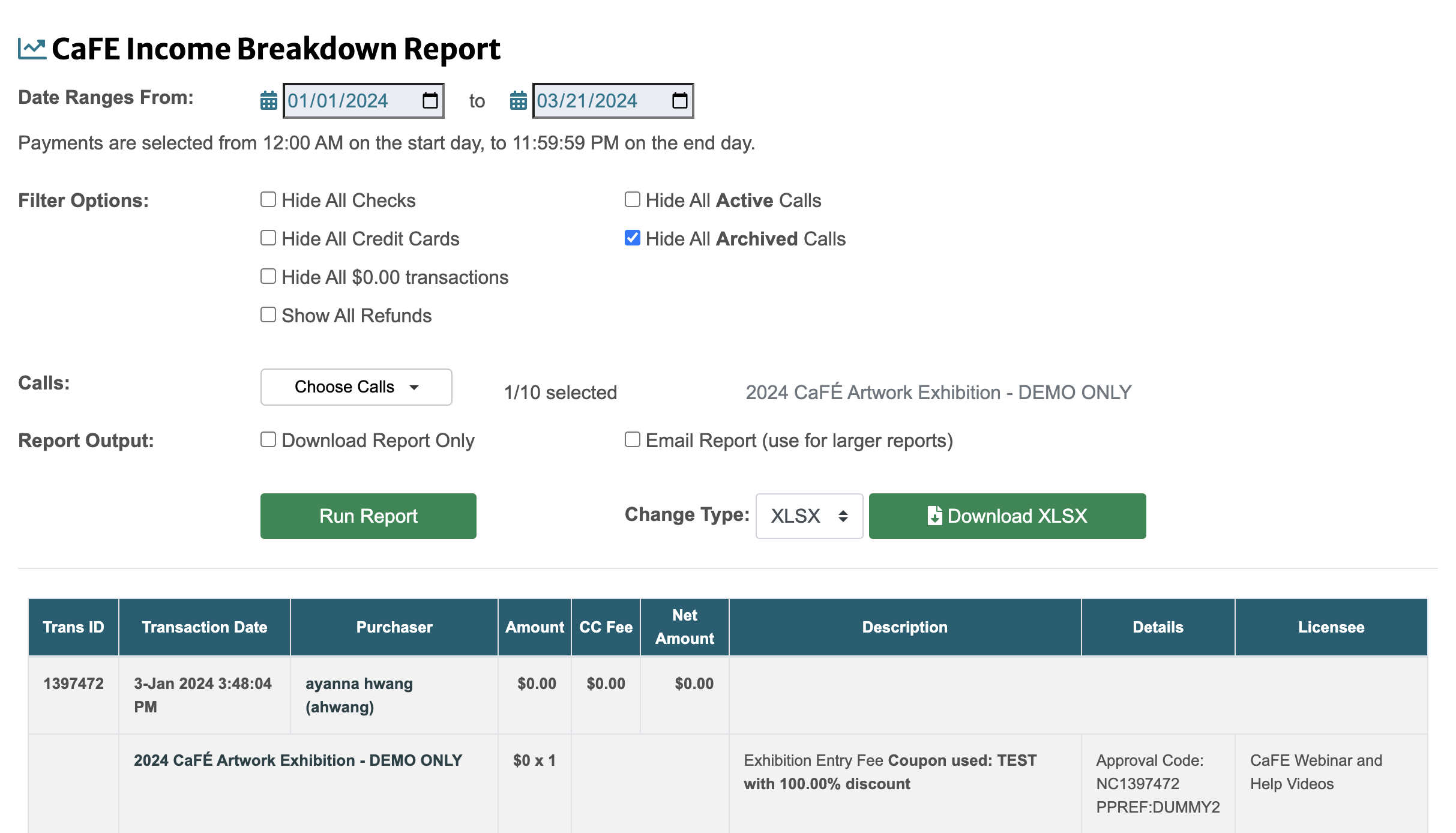
Log in to CaFÉ Admin and go to Reports > Income Breakdown Report.
Choose the Date Range you need.
Select any applicable Filter Options.
See descriptions of the filter options below.
Click on the Choose Calls dropdown menu and select the call(s) you wish to include, or click Select All.
Click Run Report.
Select your desired format next to Change Type and click Download XLSX to download the results.
Click the arrow to the left of each filter option for more information.
Hide All Checks
Excludes all payments made by check.
Hide All Credit Cards
Excludes all payments made by credit card.
Hide all $0.00 Transactions
Excludes transactions for $0 products (e.g., free entry fees).
Show All Refunds
Includes all refunds processed by CaFÉ.
Hide All Active Calls
Excludes all active calls from the report.
Hide All Archived Calls
Excludes all archived calls from the report.
Download Report Only
Check the box to generate a downloadable report only. Data will not appear on the page. Use this option if you're generating a larger report (e.g., 12-month time frame).
