
How to Add a New Juror ➕
Log in to CaFÉ Admin and go to Jury > Administration. Select the call you want to view from the Current Event drop-down list.
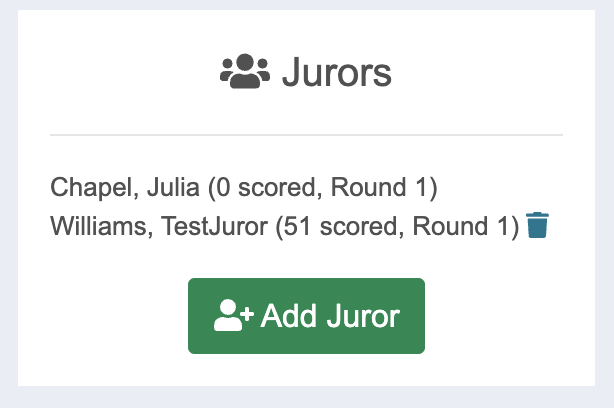
Locate the Jurors section and click Add Juror.
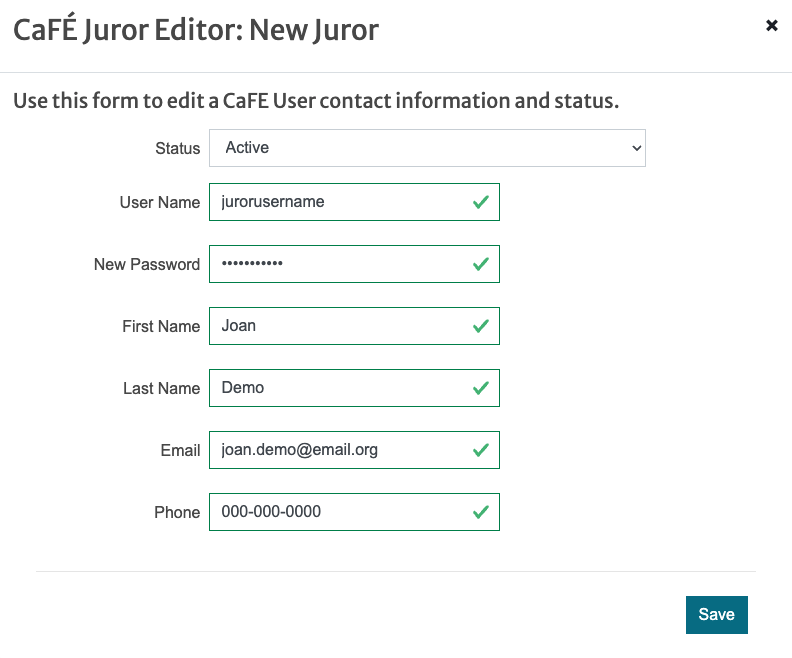
Enter your juror’s information in each field. You will create the juror’s username and password.
Click Save 💾 and ensure the juror is listed in the Jurors section.
How to Assign an Existing Juror ✔️
Log in to CaFÉ Admin and go to Jury > Jurors.
Find the existing juror profile on the list or click Show Inactive to view deactivated profiles.
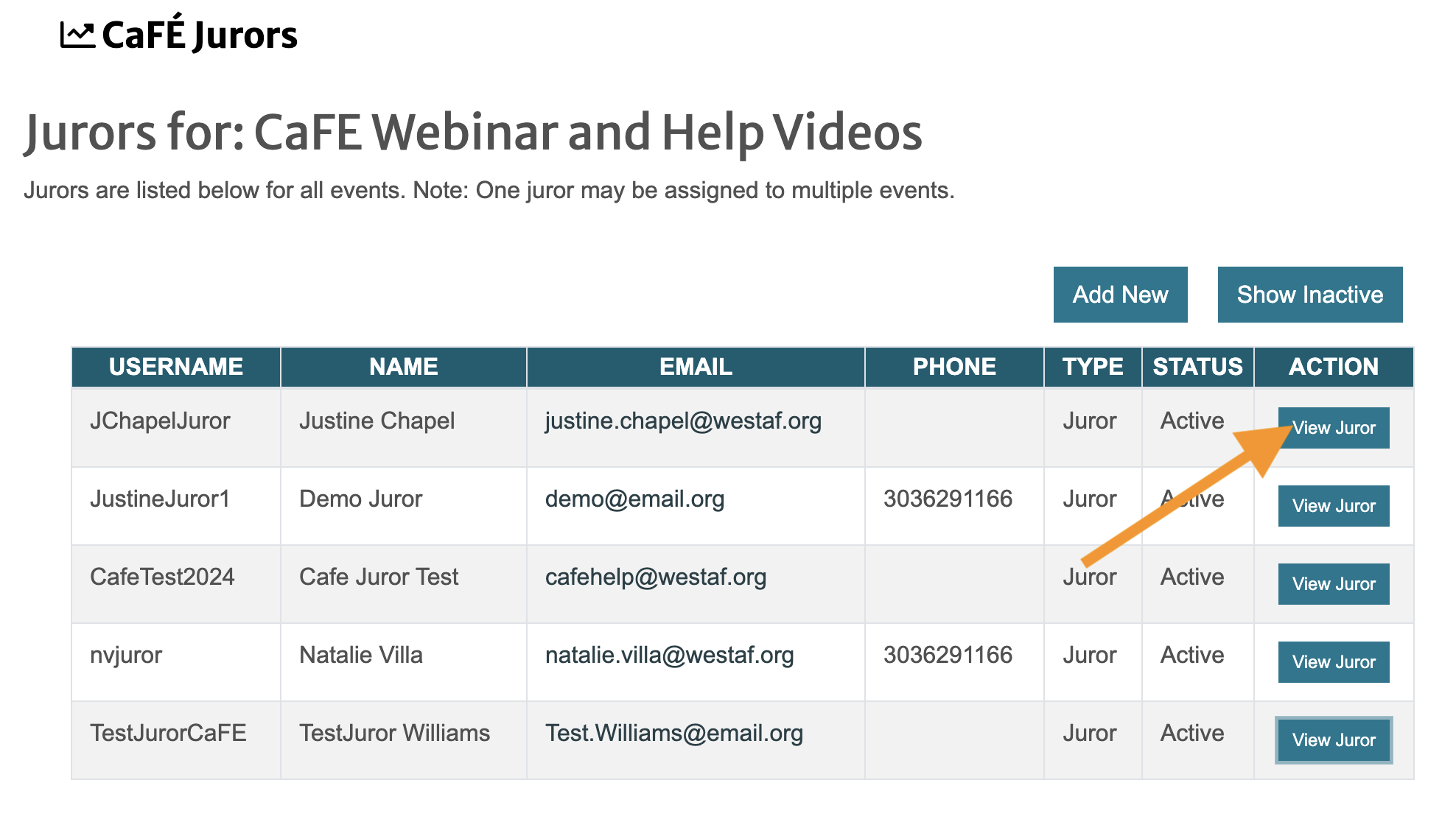
Click View Juror next to the desired juror profile.
Under Select Calls to Jury, check the box next to the name of the call.
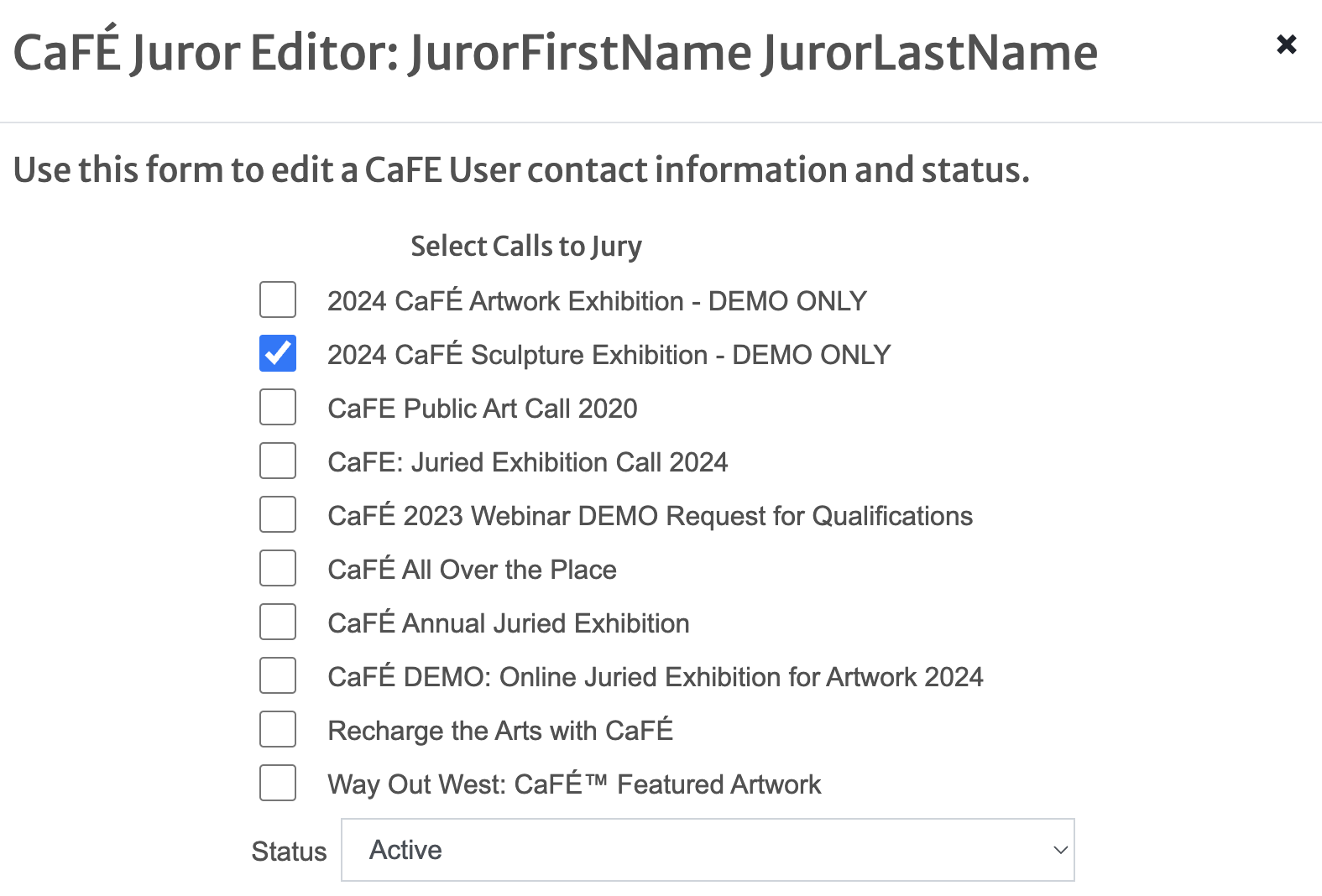
Click Save 💾 and ensure the juror appears on the call’s Jury Administration page.