

✨ TIP: Visit Application Status Definitions to learn what each status means.
How to Change the Status of an Application
Log in to CaFÉ Admin and pull up your call under Events > Management.
Find the application by clicking on the status or using the Search By box.
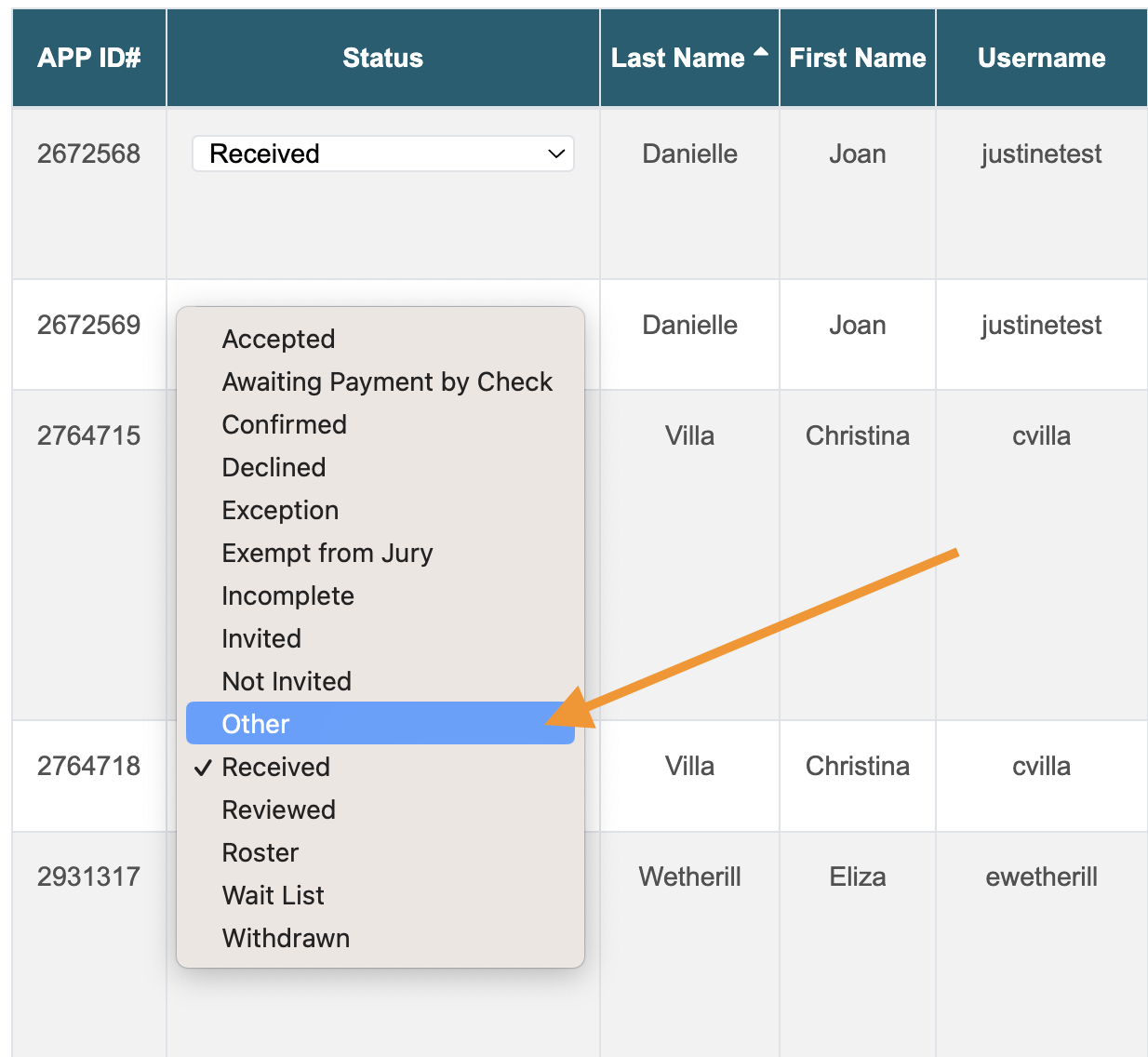
On the table of applications, go to the Status column of the application you want to change.
Select a new status from the drop-down list.
Changes will be automatically saved, and the application will be moved to its new status.
How to Change the Status of Multiple Applications
Log in to CaFÉ Admin and pull up your call under Events > Management.
Click on the status of the applications or use the filters in the Search By box to find the group of applications you want to change.
You can use any combination of the search filters to narrow down the list of applications.
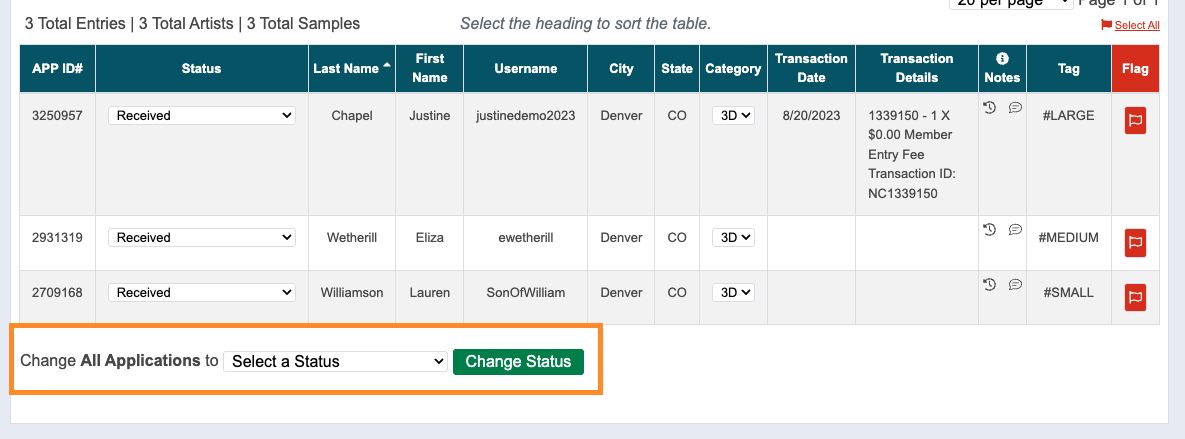
At the bottom of the applications table, find the Change All Applications to [new status] option.
Choose the new status from the drop-down menu.
Click Change Status, and the applications will be moved to the new status.