⚠️ Note: Only Account Managers have access to this page in CaFÉ.
How to Update the Contact & Billing Information 🏢
Log in to CaFÉ Admin.
Click on the account icon 👤 next to your name in the top-right corner.
Click Profile, then click the Organization Details tab.
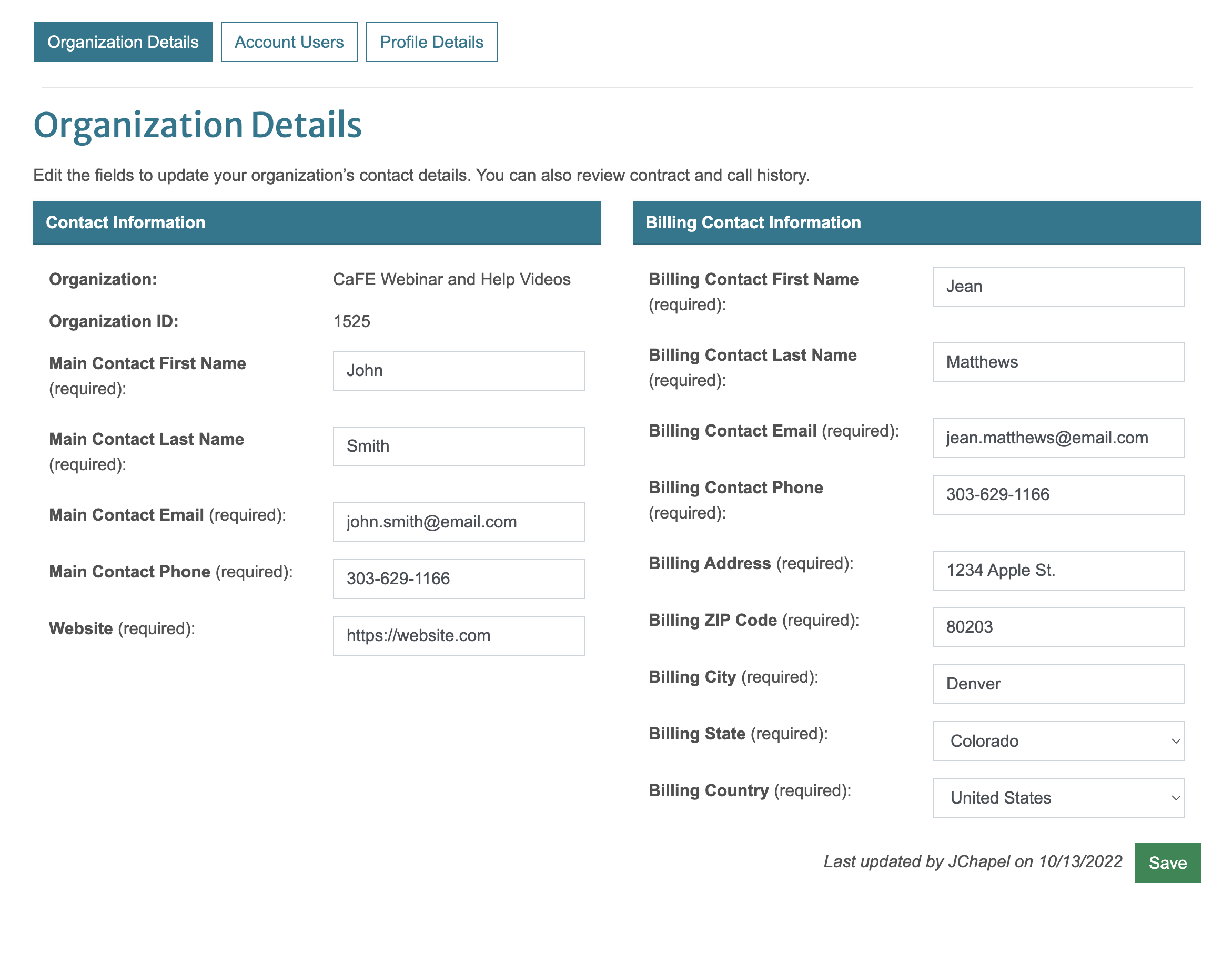
Locate the Contact Information and Billing Contact Information section.
Update the Main Contact as needed.
The main contact is the appropriate person to discuss information about your account, call details, etc.
Update the Billing Contact Information as needed.
The billing contact is the appropriate person to discuss payment information. The billing address is the address used to send your monthly remittances (if collecting revenue).
Click Save 💾 to finalize your changes.
⚡ TIP: Keep your billing information up-to-date to ensure the revenue collected through CaFÉ is remitted to you without interruption.
How to View Contract and Call History 📖
Log in to CaFÉ Admin.
Click on the account icon 👤 next to your name in the top-right corner.
Click Profile, then click the Organization Details tab.
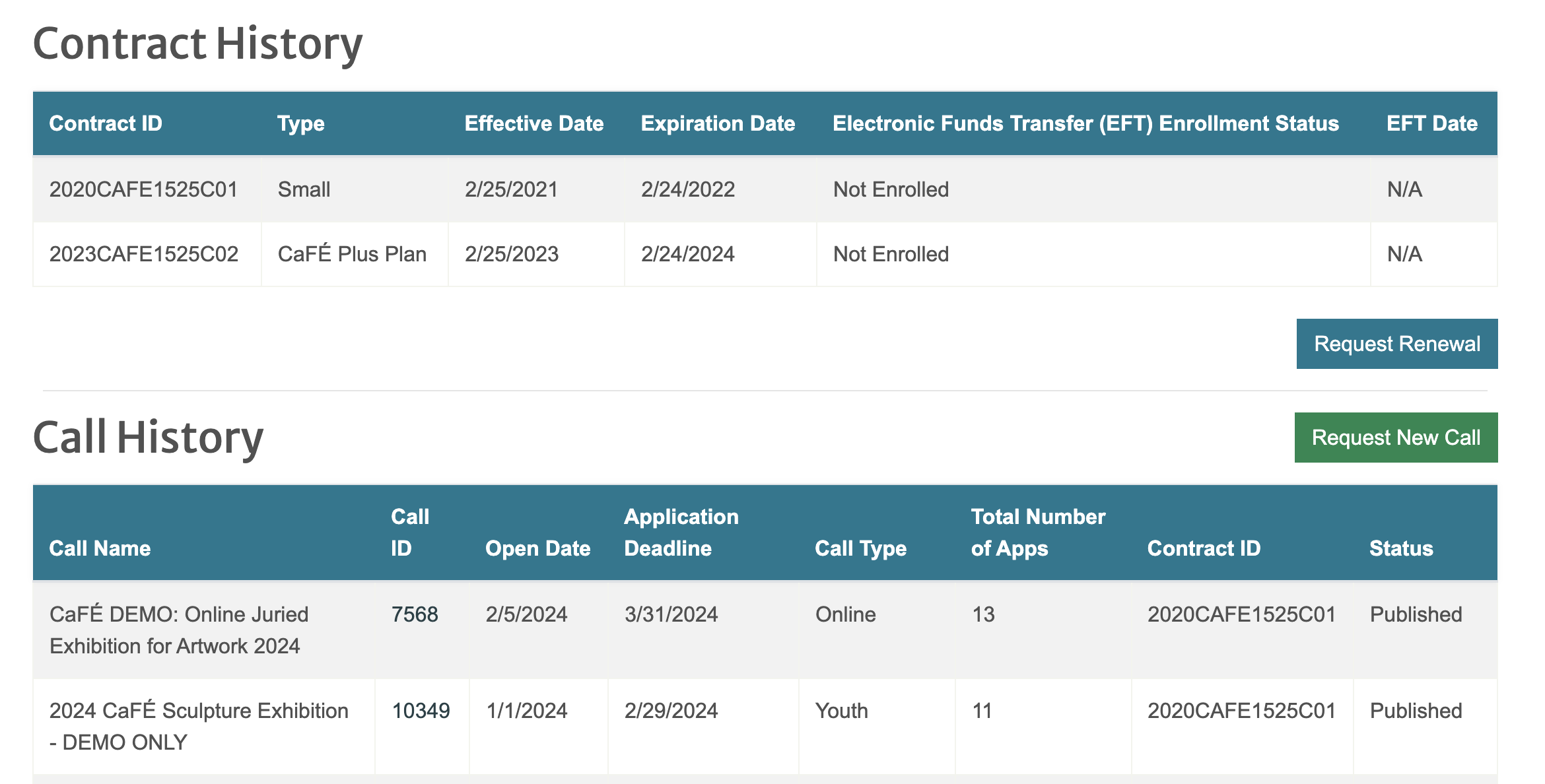
Go to the Contract History section to view your organization's list of contracts, their effective dates, and the Electronic Funds Transfer (EFT) Enrollment Status.
Click Request Renewal to notify the CaFÉ team that you would like to renew your account.
Go to the Call History section to view the list of calls for your organization.
Click Request New Call and fill out the form to add a new call to your account.
⚠️ Note: By submitting the form, you are placing an order and agreeing to purchase a new call. Payment is due upon receipt of your invoice. Cancelations must be requested within 30 days of your form submission. Fees for calls not canceled within 30 days will not be waived.